Install MITRE ATT&CK Navigator Offline
Prepare the complete application and its dependencies on an internet-connected Ubuntu machine, transfer the archive, then run Navigator with locally hosted ATT&CK data in the air-gapped environment.
Validate current requirements before rebuilding
The preserved proof of concept uses Node.js 18, Angular CLI 17, and ATT&CK v16.1 data. Check the current Navigator repository before substituting versions, and record every change from the demonstrated baseline.
Requirements
- Node.js v18 – Ensure you have this version installed to support compatibility.
- Angular CLI v17 – Needed for managing Angular projects and dependencies.
Installing MITRE ATT&CK Navigator Offline
On an Internet-Connected Machine
On an internet-connected Ubuntu VM, refresh the package lists from the repositories and create a structured directory for downloading dependencies:
Download and install VM tools (this will enable copy and pasting and dynamic resolution).
cd ~/mitre-offline/vmtools
apt-get download \
  libatkmm-1.6-1v5 \
  libcairomm-1.0-1v5 \
  libglibmm-2.4-1t64 \
  libgtkmm-3.0-1t64 \
  libmspack0t64 \
  libpangomm-1.4-1v5 \
  libsigc++-2.0-0v5 \
  libxmlsec1t64 \
  libxmlsec1t64-openssl \
  open-vm-tools \
  open-vm-tools-desktop \
  zerofree
sudo dpkg -i *.deb
After installing VM tools, you may need to reboot the VM if copy and pasting does not work.
Download and install Git. Verify the installation.
cd ~/mitre-offline/git
sudo apt-get download git git-man liberror-perl
sudo dpkg -i *.deb
git --version
Download LibreOffice.
cd ~/mitre-offline/libre
sudo apt-get -o Dir::Cache::archives="/home/cyber/mitre-offline/libre" --download-only install libreoffice
Download and install Node.js v18. Verify the installation.
cd ~/mitre-offline/nodejs
wget https://nodejs.org/dist/v18.20.6/node-v18.20.6-linux-x64.tar.xz
tar -xvf node-v18.20.6-linux-x64.tar.xz
sudo mv node-v18.20.6-linux-x64 /usr/local/nodejs
echo 'export PATH=/usr/local/nodejs/bin:$PATH' >> ~/.bashrc
source ~/.bashrc
node --version
npm --version
Use npm install to download all Angular CLI v17 dependencies into the node_modules directory. This process may take some time.
Clone MITRE ATT&CK Navigator repository. This process may take some time.
Use npm install to download all dependencies into the node_modules directory:
Download the latest MITRE ATT&CK data files into the nav-app/src/assets directory.
cd ~/mitre-offline/attack-navigator/nav-app/src/assets
wget https://raw.githubusercontent.com/mitre-attack/attack-stix-data/master/enterprise-attack/enterprise-attack.json
wget https://raw.githubusercontent.com/mitre-attack/attack-stix-data/master/mobile-attack/mobile-attack.json
wget https://raw.githubusercontent.com/mitre-attack/attack-stix-data/master/ics-attack/ics-attack.json
Create index.json in the nav-app/src/assets with the following content.
{
    "id": "10296991-439b-4202-90a3-e38812613ad4",
    "name": "MITRE ATT&CK",
    "description": "MITRE ATT&CK is a globally-accessible knowledge base of adversary tactics and techniques based on real-world observations. The ATT&CK knowledge base is used as a foundation for the development of specific threat models and methodologies in the private sector, in government, and in the cybersecurity product and service community.",
    "created": "2018-01-17T12:56:55.080Z",
    "modified": "2024-11-12T14:00:00.188Z",
    "collections": [
        {
            "id": "x-mitre-collection--1f5f1533-f617-4ca8-9ab4-6a02367fa019",
            "created": "2018-01-17T12:56:55.080Z",
            "versions": [
                {
                    "version": "16.1",
                    "url": "assets/enterprise-attack.json",
                    "modified": "2024-11-12T14:00:00.188Z"
                }
            ],
            "name": "Enterprise ATT&CK",
            "description": "ATT&CK for Enterprise provides a knowledge base of real-world adversary behavior targeting traditional enterprise networks. ATT&CK for Enterprise covers the following platforms: Windows, macOS, Linux, PRE, Office 365, Google Workspace, IaaS, Network, and Containers."
        },
        {
            "id": "x-mitre-collection--dac0d2d7-8653-445c-9bff-82f934c1e858",
            "created": "2018-01-17T12:56:55.080Z",
            "versions": [
                {
                    "version": "16.1",
                    "url": "assets/mobile-attack.json",
                    "modified": "2024-11-12T14:00:00.188Z"
                }
            ],
            "name": "Mobile ATT&CK",
            "description": "ATT&CK for Mobile is a matrix of adversary behavior against mobile devices (smartphones and tablets running the Android or iOS/iPadOS operating systems). ATT&CK for Mobile builds upon NIST's Mobile Threat Catalogue and also contains a separate matrix of network-based effects, which are techniques that an adversary can employ without access to the mobile device itself."
        },
        {
            "id": "x-mitre-collection--90c00720-636b-4485-b342-8751d232bf09",
            "created": "2020-10-27T14:49:39.188Z",
            "versions": [
                {
                    "version": "16.1",
                    "url": "assets/ics-attack.json",
                    "modified": "2024-11-12T14:00:00.188Z"
                }
            ],
            "name": "ICS ATT&CK",
            "description": "The ATT&CK for Industrial Control Systems (ICS) knowledge base categorizes the unique set of tactics, techniques, and procedures (TTPs) used by threat actors in the ICS technology domain. ATT&CK for ICS outlines the portions of an ICS attack that are out of scope of Enterprise and reflects the various phases of an adversary\u2019s attack life cycle and the assets and systems they are known to target."
        }
    ]
}
Using the json.tool module, which is already installed on the Ubuntu VM, validate all JSON files to ensure they are syntactically correct.
python3 -m json.tool ~/mitre-offline/attack-navigator/nav-app/src/assets/index.json
python3 -m json.tool ~/mitre-offline/attack-navigator/nav-app/src/assets/enterprise-attack.json
python3 -m json.tool ~/mitre-offline/attack-navigator/nav-app/src/assets/mobile-attack.json
python3 -m json.tool ~/mitre-offline/attack-navigator/nav-app/src/assets/ics-attack.json
If the file is valid, this command will output the JSON content. If there are syntax errors, it will display an error message.
Modify the config.json file in nav-app/src/assets with following contents (change enabled to true, and collection_index_url and data values to assets/index.json and assets/enterprise-attack.json files).
{
    "collection_index_url": "assets/index.json",

    "versions": {
        "enabled": true,
        "entries": [
            {
                "name": "Custom Data v14",
                "version": "14",
                "domains": [
                    {
                        "name": "Enterprise",
                        "identifier": "enterprise-attack",
                        "data": ["assets/enterprise-attack.json"]
                    }
                ]
            }
        ]
    },
<SNIP>
Compress the mitre-offline folder for transfer.
Transfer mitre-offline.tar.gz to the air-gapped Ubuntu VM using a USB drive.
On the Air-Gapped Environment
On the air-gapped Ubuntu VM, make a directory called mitre-offline and extract the transferred archive.
Install LibreOffice and verify installation.
Install Node.js v18 and verify the installation.
cd ~/mitre-offline/nodejs
tar -xvf node-v18.20.6-linux-x64.tar.xz
sudo mv node-v18.20.6-linux-x64 /usr/local/nodejs
echo 'export PATH=/usr/local/nodejs/bin:$PATH' >> ~/.bashrc
source ~/.bashrc
node --version
npm --version
Install Angular CLI globally by linking it to the npm directory. This will create a global symlink for the Angular CLI, allowing you to use the ng command from anywhere. This process may take some time.
Verify that Angular CLI is installed correctly. This should display Angular CLI version 17 along with other related information.
     _                      _                 ____ _     ___
    / \   _ __   __ _ _   _| | __ _ _ __     / ___| |   |_ _|
   / △ \ | '_ \ / _` | | | | |/ _` | '__|   | |   | |    | |
  / ___ \| | | | (_| | |_| | | (_| | |      | |___| |___ | |
 /_/   \_\_| |_|\__, |\__,_|_|\__,_|_|       \____|_____|___|
                |___/


Angular CLI: 17.3.11
Node: 18.20.6
Package Manager: npm 10.8.2
OS: linux x64

Angular: undefined
...

Package                      Version
------------------------------------------------------
@angular-devkit/architect    0.1703.11
@angular-devkit/core         17.3.11
@angular-devkit/schematics   17.3.11
@schematics/angular          17.3.11
Run MITRE ATT&CK Navigator
Navigate to the nav-app directory and run the application.
Open http://<IP ADDRESS>:4200 in your browser.
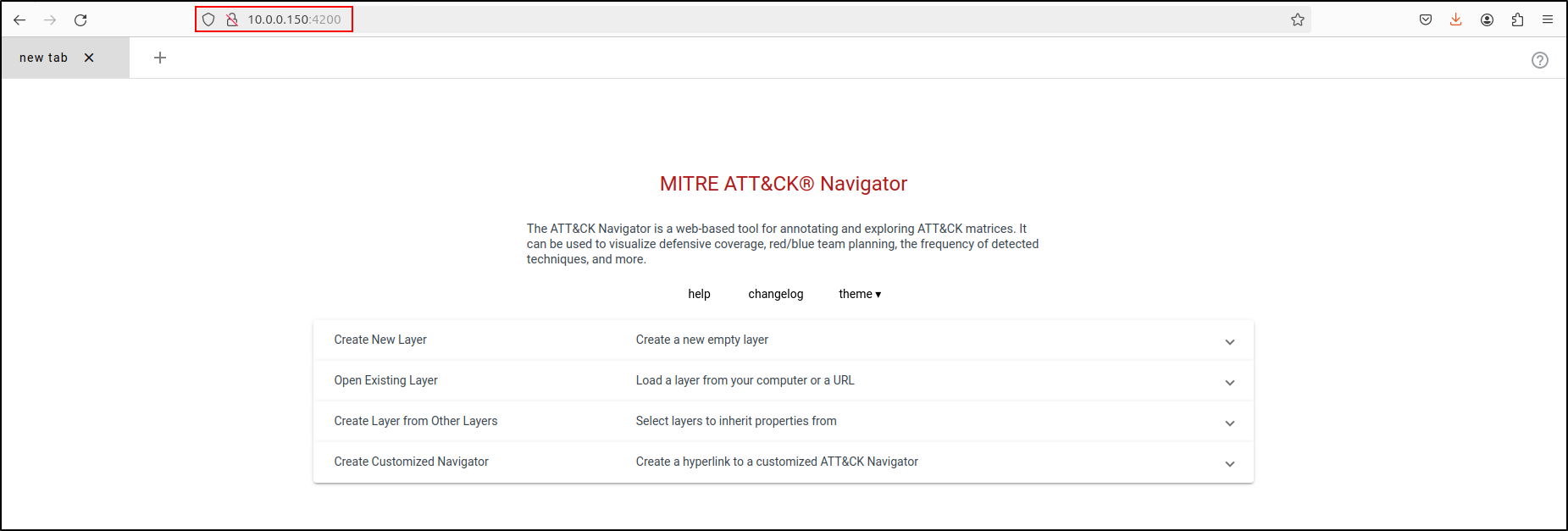
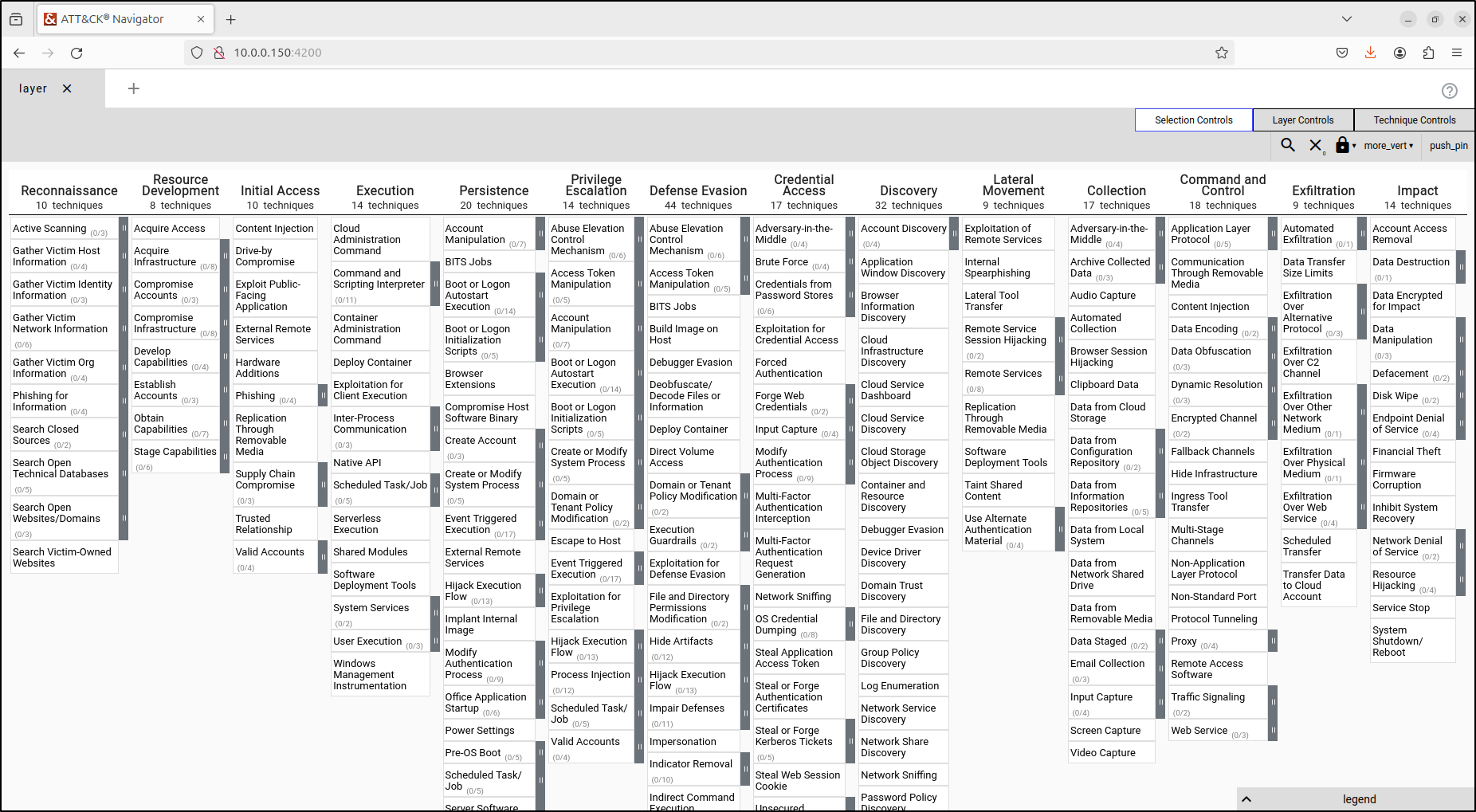
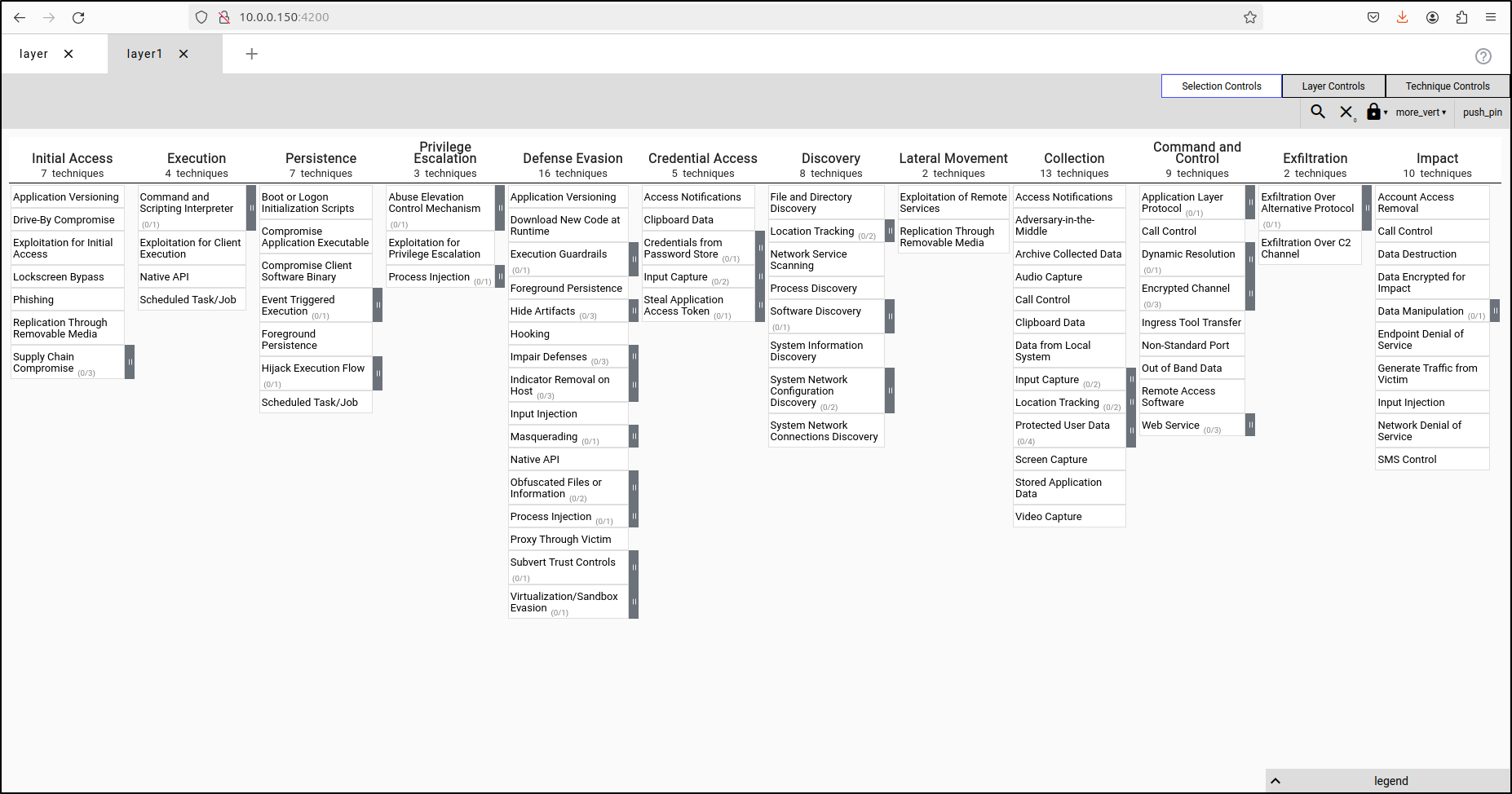
Verify that creating new layer loads locally hosted JSON files (enterprise-attack, mobile-attack and ics-attack).
Enterprise ATT&CK (enterprise-attack.json)
Mobile ATT&CK (mobile-attack.json)
ICS ATT&CK (ics-attack.json)
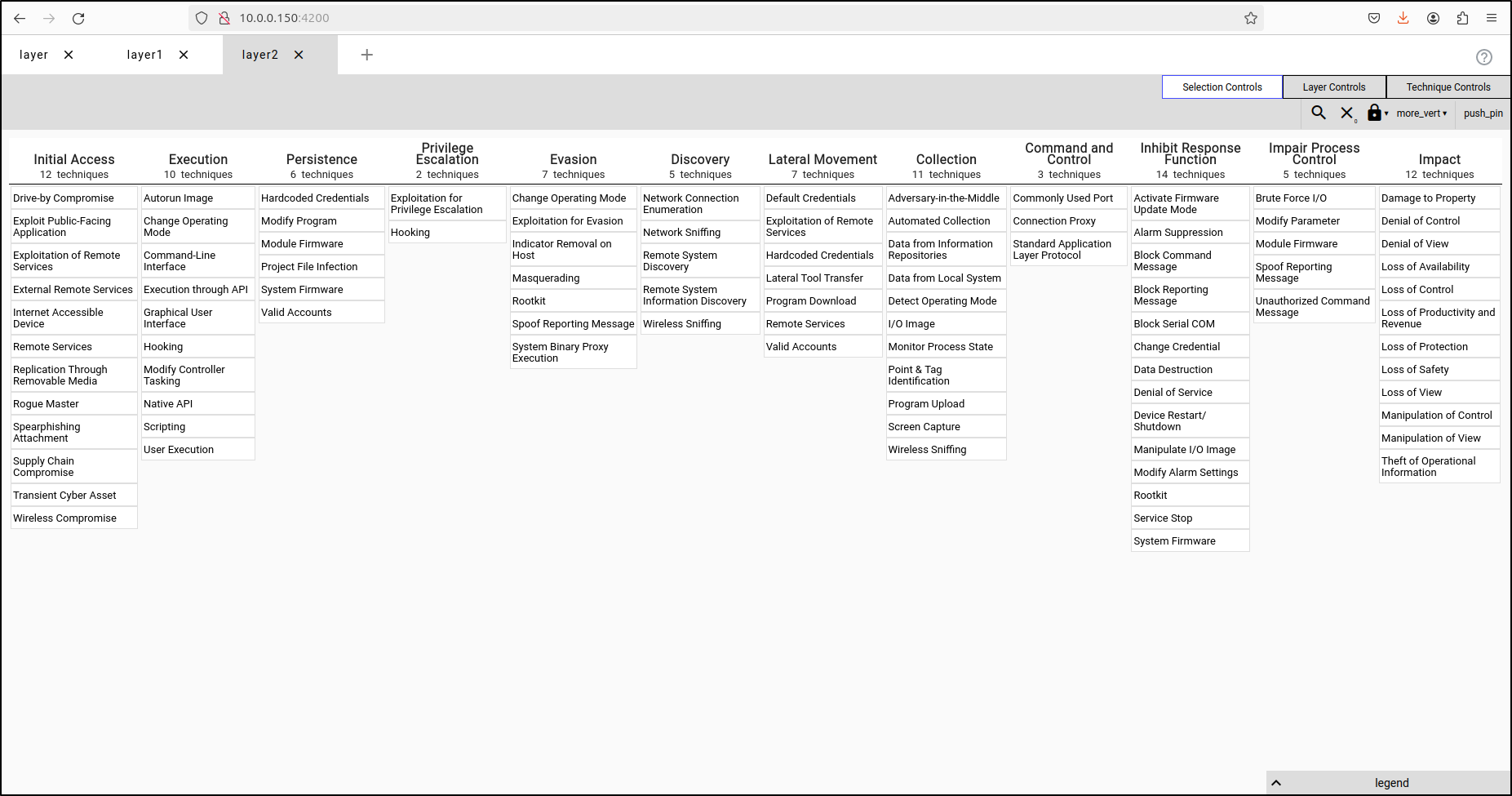
Verify that you can also access the Navigator from the Ubuntu VM using the MITRE VM's IP address. Verify access to locally hosted JSON files.