Install MITRE Caldera
Build the server in an isolated Ubuntu VM, pin the release, protect generated credentials, and confirm the web interface before deploying an agent.
Version-sensitive procedure
MITRE Caldera dependencies and frontend configuration change between releases. Use the official installation guide for your selected release. The older screenshots below are retained to show the original proof of concept, not to override current vendor instructions.
Requirements and route
| Requirement | Beginner starting point |
|---|---|
| Server | x86-64 Ubuntu VM, 2 vCPU, 4 GB RAM, 40 GB disk |
| Runtime | Supported Python and Node.js versions for the pinned release |
| Network | Isolated lab network; temporary controlled download access |
| Recovery | Clean OS and working-server snapshots |
| Access | Local administrator and generated MITRE Caldera red-team credentials |
Choose one route:
- Online source install: best for learning how the project is assembled.
- Container image: best for a repeatable disposable lab.
- Offline transfer: use only when you can preserve packages, hashes, recursive submodules, and the exact release together.
Online source installation
git clone https://github.com/mitre/caldera.git --recursive --branch <release>
cd caldera
python3 -m venv .venv
source .venv/bin/activate
pip install -r requirements.txt
python3 server.py --build
Do not use sudo pip3 install into the system interpreter. Record the release,
commit, Python version, Node.js version, package source, and checksums used.
When the server reports that its systems are ready, retrieve the generated
credentials from conf/local.yml without copying secrets into your report.
Container route
The official repository currently documents a published container image. Pin a
specific release instead of relying on a moving latest tag in a repeatable
lab:
Record volumes, exposed contacts, generated configuration, restart behaviour, and the command used to stop the container gracefully.
Offline installation on Ubuntu 24.04
Use this route when the MITRE Caldera server cannot access the internet. Prepare the complete bundle on a matching internet-connected Ubuntu system, verify it, and then transfer it through your approved removable-media process.
Pin and verify before downloading
The commands below preserve the original Ubuntu 24.04 procedure and its
tested package versions. Before using them, replace the moving master
branch with a supported MITRE Caldera release and confirm its Python, Node.js,
Go, Magma, Sandcat, Atomic and package requirements. Record hashes for the
source, dependencies and final archive. Do not silently mix newer packages
into the preserved bundle.
### Prepare the bundle on an internet-connected machine
Refresh the package lists and create the original dependency structure:
sudo apt-get update
mkdir -p ~/caldera-offline/{vmtools,pip3,chrome,curl,jq,upx,git,nodejs,nodejs/npm,node-modules,magma-dist,go,go-modules}
Download the operating-system tools
Download VM tools and their dependencies. Install them on the preparation machine if copy and paste or dynamic display resolution is required:
cd ~/caldera-offline/vmtools
apt-get download \
  libatkmm-1.6-1v5 libcairomm-1.0-1v5 libglibmm-2.4-1t64 \
  libgtkmm-3.0-1t64 libmspack0t64 libpangomm-1.4-1v5 \
  libsigc++-2.0-0v5 libxmlsec1t64 libxmlsec1t64-openssl \
  open-vm-tools open-vm-tools-desktop zerofree
sudo dpkg -i *.deb
Download Python and pip dependencies:
cd ~/caldera-offline/pip3
apt-get download python3-pip python3-setuptools python3-wheel ca-certificates python3 \
  python3-pkg-resources python3-minimal python3.12 libpython3-stdlib \
  openssl debconf cdebconf python3-venv python3-tk python3-doc \
  libdebian-installer4 libtextwrap1 python3.12-doc blt libtk8.6 tk8.6-blt2.5 \
  python3.12-venv libc6 libtcl8.6 libfontconfig1 libx11-6 libxft2 libxss1 \
  libjs-jquery libjs-underscore python3-pip-whl python3-setuptools-whl
sudo dpkg -i python3-minimal_3.12.3-0ubuntu2_amd64.deb
sudo dpkg -i libpython3-stdlib_3.12.3-0ubuntu2_amd64.deb
sudo dpkg -i python3_3.12.3-0ubuntu2_amd64.deb
sudo dpkg -i *.deb
pip3 --version
If APT reports that a download was performed unsandboxed because _apt could
not access the destination, run the affected apt-get download command again
from the intended directory and confirm that the package exists.
Download Chrome, curl, jq, UPX and Git:
cd ~/caldera-offline/chrome
wget https://dl.google.com/linux/direct/google-chrome-stable_current_amd64.deb
sudo dpkg -i *.deb
google-chrome --version

cd ~/caldera-offline/curl
sudo apt-get download curl libc6 libcurl4t64 zlib1g
sudo dpkg -i *.deb
curl --help

cd ~/caldera-offline/jq
sudo apt-get download jq libc6 libjq1
sudo dpkg -i *.deb
jq --help

cd ~/caldera-offline/upx
wget https://github.com/upx/upx/releases/download/v4.2.4/upx-4.2.4-amd64_linux.tar.xz

cd ~/caldera-offline/git
sudo apt-get download git git-man liberror-perl
sudo dpkg -i *.deb
git --version
Download the build runtimes
Download Node.js 22.13.1 and npm 11, matching the original procedure:
cd ~/caldera-offline/nodejs
wget https://nodejs.org/dist/v22.13.1/node-v22.13.1-linux-x64.tar.xz
tar -xvf node-v22.13.1-linux-x64.tar.xz
sudo mv node-v22.13.1-linux-x64 /usr/local/nodejs
echo 'export PATH=/usr/local/nodejs/bin:$PATH' >> ~/.bashrc
source ~/.bashrc
node --version
npm --version

cd ~/caldera-offline/nodejs/npm
wget https://registry.npmjs.org/npm/-/npm-11.0.0.tgz
tar -xzf npm-11.0.0.tgz -C . --strip-components=1
sudo /usr/local/nodejs/bin/node bin/npm-cli.js install -g npm
sudo ln -s /usr/local/nodejs/bin/npm /usr/bin/npm
npm --version
Download Go 1.22.11:
cd ~/caldera-offline/go
wget https://go.dev/dl/go1.22.11.linux-amd64.tar.gz
sudo tar -C /usr/local -xzf go1.22.11.linux-amd64.tar.gz
echo 'export PATH=$PATH:/usr/local/go/bin' >> ~/.bashrc
source ~/.bashrc
go version
Prepare MITRE Caldera and plugin dependencies
The original procedure used master; use a pinned supported release for a new
build:
cd ~/caldera-offline
git clone https://github.com/mitre/caldera.git --recursive --branch <release>

cd ~/caldera-offline/caldera/plugins/atomic/data
git clone --depth=1 https://github.com/redcanaryco/atomic-red-team.git

cd ~/caldera-offline/caldera/plugins/sandcat/gocat
go mod tidy && go mod download
cp -r ~/go/pkg/mod ~/caldera-offline/go-modules

cd ~/caldera-offline/caldera/plugins/magma
npm install
npm run build
cp -r node_modules ~/caldera-offline/node-modules
cp -r dist ~/caldera-offline/magma-dist
The original Ubuntu 24.04 proof of concept pinned the following MITRE Caldera Python requirements to resolve compatibility issues. Treat this as the preserved tested set, not as a substitute for the requirements of your selected release:
aiohttp-jinja2==1.5.1
aiohttp==3.10.8
aiohttp_session==2.12.0
aiohttp-security==0.4.0
aiohttp-apispec==3.0.0b2
jinja2==3.1.3
pyyaml==6.0.1
cryptography==42.0.3
websockets==11.0.3
Sphinx==7.1.2
sphinx_rtd_theme==1.3.0
myst-parser==2.0.0
marshmallow==3.20.1
dirhash==0.2.1
marshmallow-enum==1.5.1
ldap3==2.9.1
lxml~=4.9.1
reportlab==4.0.4
rich==13.7.0
svglib==1.5.1
Markdown==3.4.4
dnspython==2.4.2
asyncssh==2.14.1
aioftp~=0.20.0
packaging==24.2
croniter~=3.0.3
pyopenssl
docker
Download both production and development Python dependencies, then package the entire offline tree:
mkdir ~/caldera-offline/caldera/python_deps
pip3 download -r ~/caldera-offline/caldera/requirements-dev.txt --dest ~/caldera-offline/caldera/python_deps
pip3 download -r ~/caldera-offline/caldera/requirements.txt --dest ~/caldera-offline/caldera/python_deps

cd ~/caldera-offline
tar -czvf caldera-offline.tar.gz *
sha256sum caldera-offline.tar.gz > caldera-offline.tar.gz.sha256
Transfer the archive and checksum to the air-gapped Ubuntu VM using the approved removable-media process.
Restore the bundle in the air-gapped environment
Verify the archive before extracting it:
sha256sum -c caldera-offline.tar.gz.sha256
mkdir ~/caldera-offline
tar -xzvf caldera-offline.tar.gz -C ~/caldera-offline
Install Python/pip, Chrome, jq, curl and UPX:
cd ~/caldera-offline/pip3
sudo dpkg -i python3-minimal_3.12.3-0ubuntu2_amd64.deb
sudo dpkg -i libpython3-stdlib_3.12.3-0ubuntu2_amd64.deb
sudo dpkg -i python3_3.12.3-0ubuntu2_amd64.deb
sudo dpkg -i *.deb
pip3 --version

cd ~/caldera-offline/chrome && sudo dpkg -i *.deb && google-chrome --version
cd ~/caldera-offline/jq && sudo dpkg -i *.deb && jq --help
cd ~/caldera-offline/curl && sudo dpkg -i *.deb && curl --help

cd ~/caldera-offline/upx
tar -xvf upx-4.2.4-amd64_linux.tar.xz
sudo mv upx-4.2.4-amd64_linux/upx /usr/local/bin/
upx --version
Restore Node.js, npm and Go:
cd ~/caldera-offline/nodejs
tar -xvf node-v22.13.1-linux-x64.tar.xz
sudo mv node-v22.13.1-linux-x64 /usr/local/nodejs
echo 'export PATH=/usr/local/nodejs/bin:$PATH' >> ~/.bashrc
source ~/.bashrc
node --version

cd ~/caldera-offline/nodejs/npm
tar -xzf npm-11.0.0.tgz -C . --strip-components=1
sudo /usr/local/nodejs/bin/node bin/npm-cli.js install -g --cache ~/caldera-offline/nodejs/npm-cache --no-audit --no-fund
sudo ln -s /usr/local/nodejs/bin/npm /usr/bin/npm
npm --version

cd ~/caldera-offline/go
sudo tar -C /usr/local -xzf go1.22.11.linux-amd64.tar.gz
echo 'export PATH=$PATH:/usr/local/go/bin' >> ~/.bashrc
source ~/.bashrc
go version
Restore Sandcat and Magma dependencies, then install the Python packages without contacting an online index:
mkdir -p ~/go/pkg
cp -r ~/caldera-offline/go-modules/* ~/go/pkg/mod

cd ~/caldera-offline/caldera/plugins/magma
cp -r ~/caldera-offline/node-modules node_modules
cp -r ~/caldera-offline/magma-dist dist

cd ~/caldera-offline/caldera
pip3 install -r requirements-dev.txt --no-index --find-links=./python_deps --break-system-packages
pip3 install -r requirements.txt --no-index --find-links=./python_deps --break-system-packages
If a Python script is installed in /home/cyber/.local/bin but that directory
is not on PATH, add it and reload the shell:
Start and configure the offline server
Launch MITRE Caldera and wait for All systems ready:
MITRE Caldera generates the red and blue usernames, passwords and API tokens in
conf/local.yml. Do not copy those secrets into screenshots or lab reports.
For the original proof of concept, remote access required the following server values after stopping MITRE Caldera with ++ctrl+c++:
The original Magma frontend also used:
Current releases may not require that environment variable. Apply it only when the documentation for your pinned release does. Rebuild after a required configuration change:
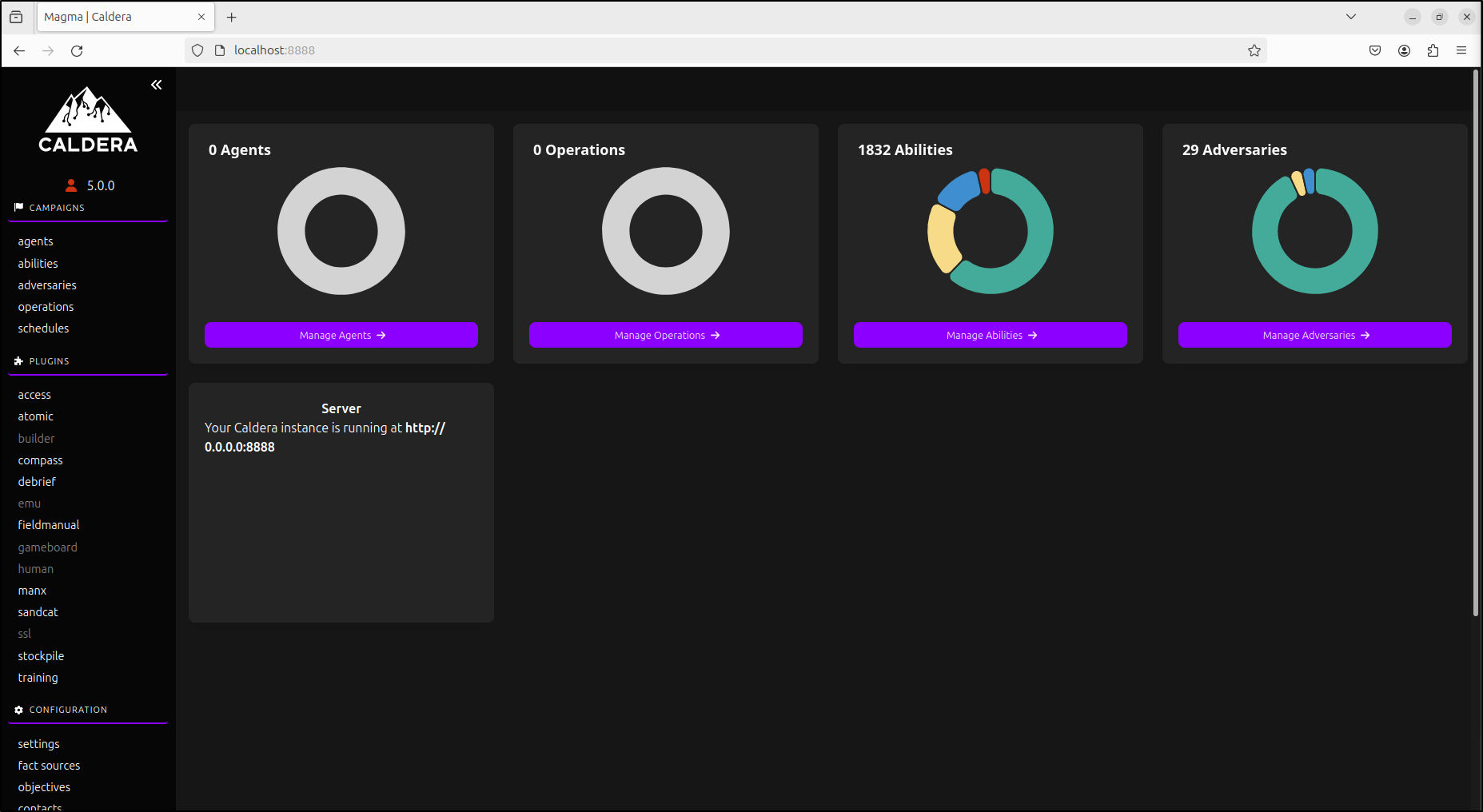
Finally, confirm that the local server and one authorised Ubuntu management VM
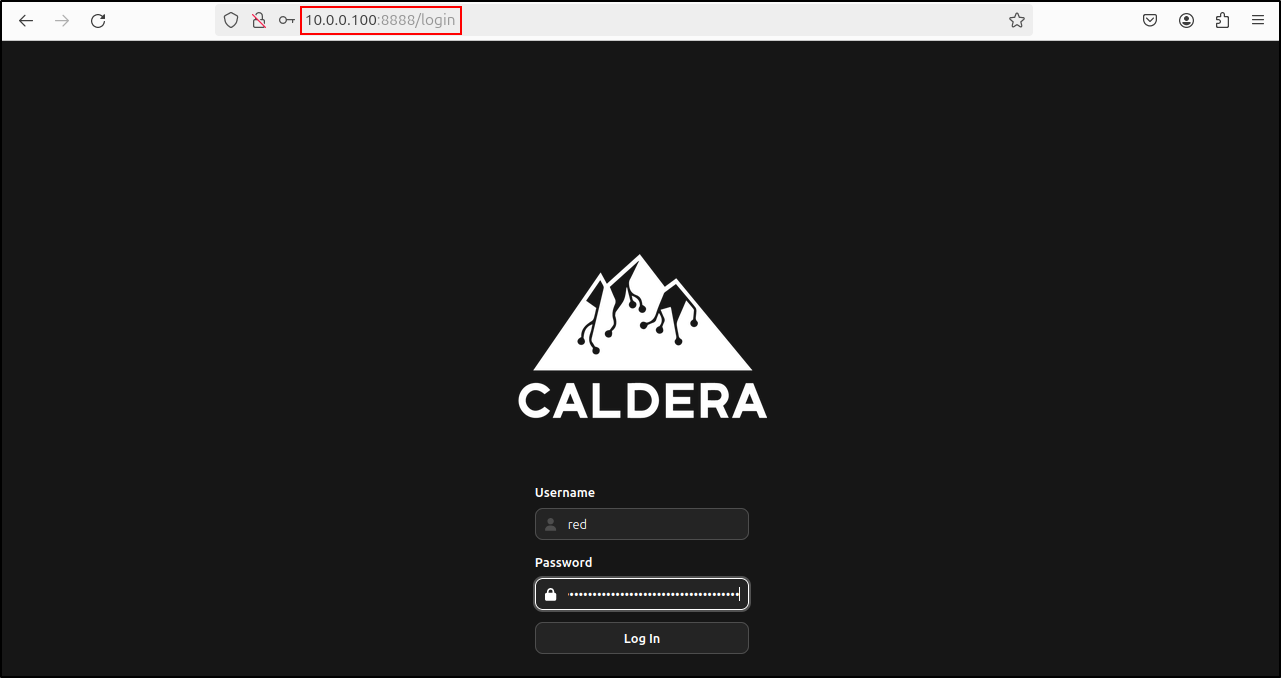
can open http://SERVER-IP:8888 and authenticate with the generated red-team
credentials. Continue to the interface checkpoint below.
Verify the interface
The original proof of concept first verified local login, then confirmed access from an authorised Ubuntu workstation on the same isolated network.
Remote access configuration
Older releases required edits to both conf/local.yml and the Magma
frontend environment. Current releases removed the old
VITE_CALDERA_URL requirement. Do not apply that legacy workaround unless
the documentation for your pinned version explicitly requires it.
Installation checkpoint
Continue only when:
- the service starts without unresolved dependency errors;
- the web interface opens from an authorised management host;
- credentials and API tokens remain protected;
- server time and client time are synchronised; and
- a
working-caldera-serversnapshot is available.