Test and investigate detections
Use harmless, documented function tests to learn how Aurora turns Windows activity into Sigma and IOC matches. Start with one process-creation test before exploring other event sources.
Beginner investigation loop
- Confirm Aurora is healthy and note the current time.
- Run one controlled test, such as
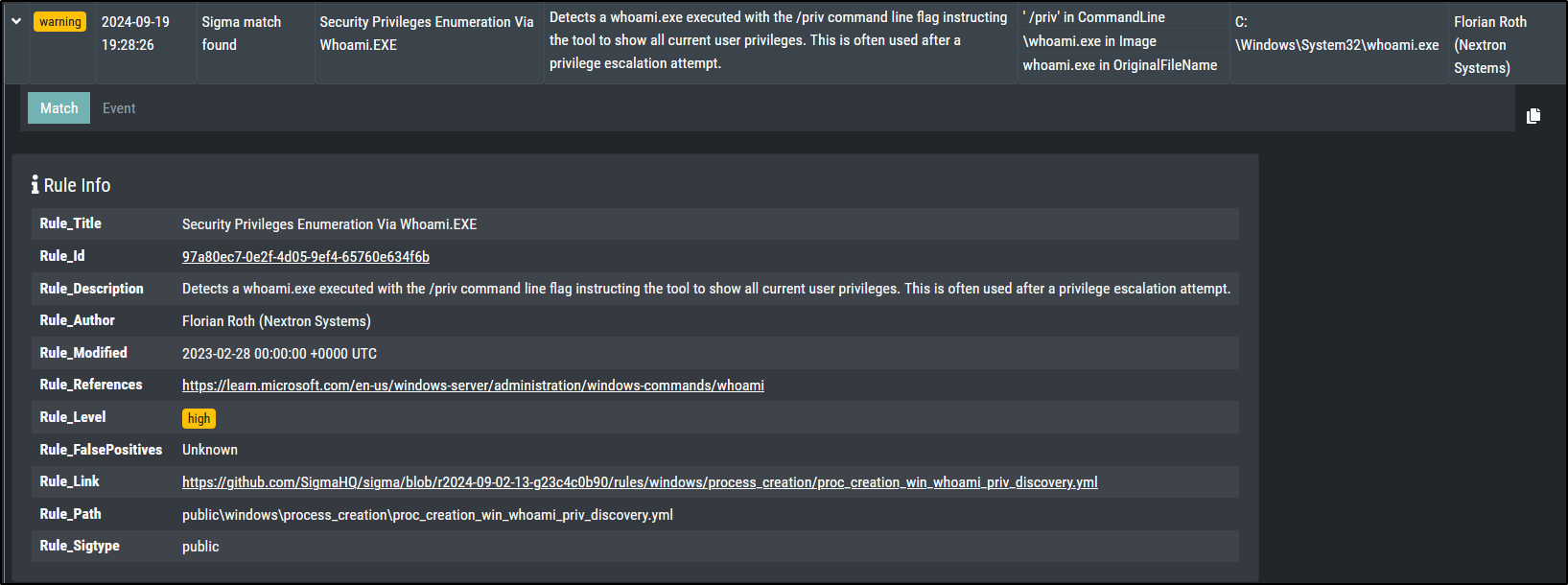
whoami /priv. - Refresh the dashboard and locate the matching timestamp.
- Expand the record and capture the rule title, level, host, user, image, command line, parent process, and match condition.
- Compare the record with one routine event.
- Record the result as an authorised validation test rather than confirmed compromise.
Complete function-test walkthrough
Continue with the preserved process-creation, network, file, process-access, registry, filename, C2, named-pipe, mutex, and LOLBAS tests. Run one test at a time, preserve its result, and complete its cleanup before moving on.
Introduction to Aurora Lite
Performing Function Tests
There are straightforward methods to test Aurora and confirm its ability to detect suspicious or malicious events.
Sigma Matching - Process Creation
Included in profiles: Minimal, Reduced, Standard, Intense
This should create a warning level message for a Sigma rule with level high.
This should create a warning level message for a Sigma rule with level high.
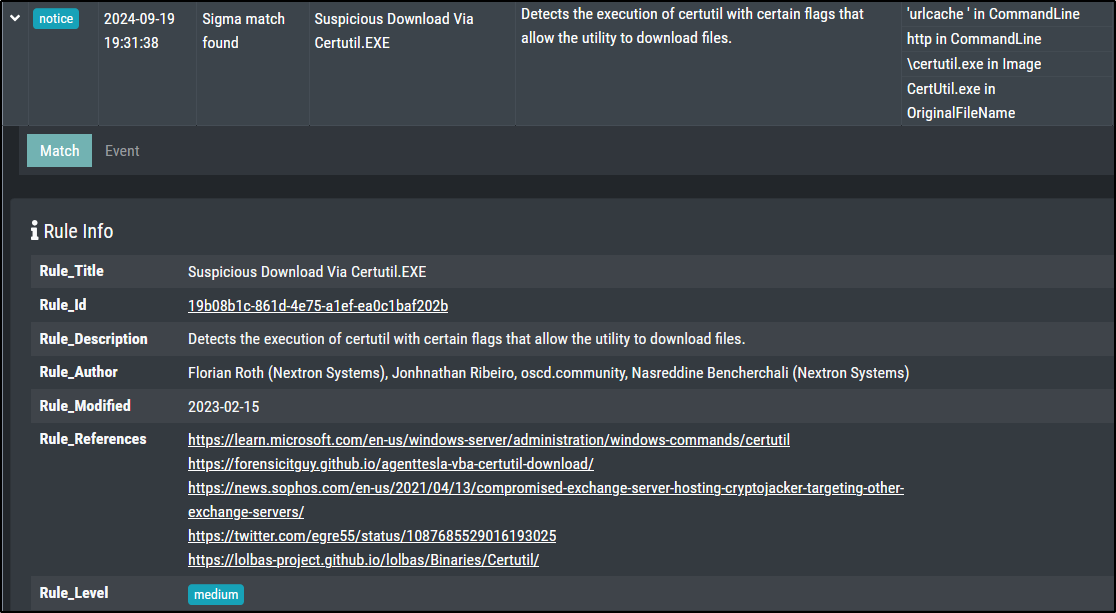
This actually created a notice level message with level medium on Windows Server 2019
Sigma Matching - Network Communication
Included in profiles: Minimal, Reduced, Standard, Intense
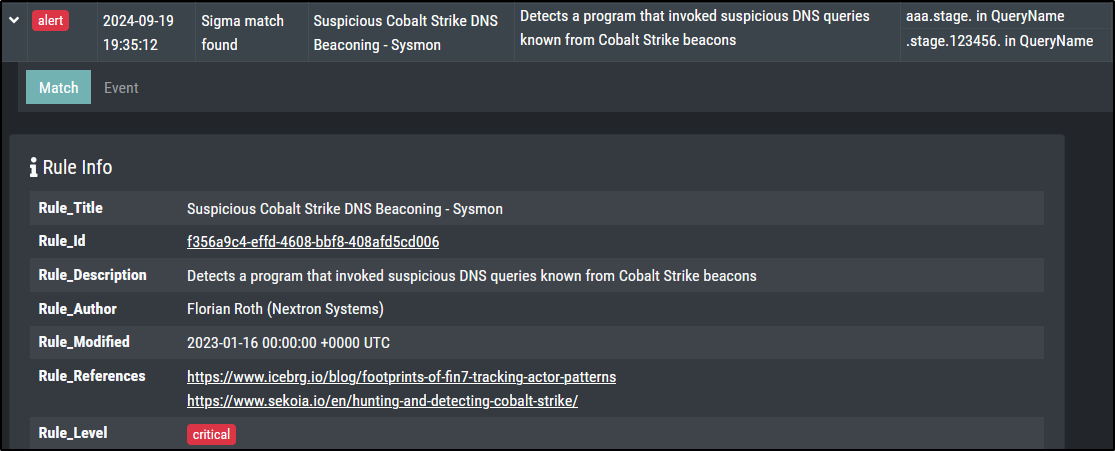
This should create an alert level message for a Sigma rule with level critical.
Sigma Matching - File Creation
Included in profiles: Minimal, Reduced, Standard, Intense
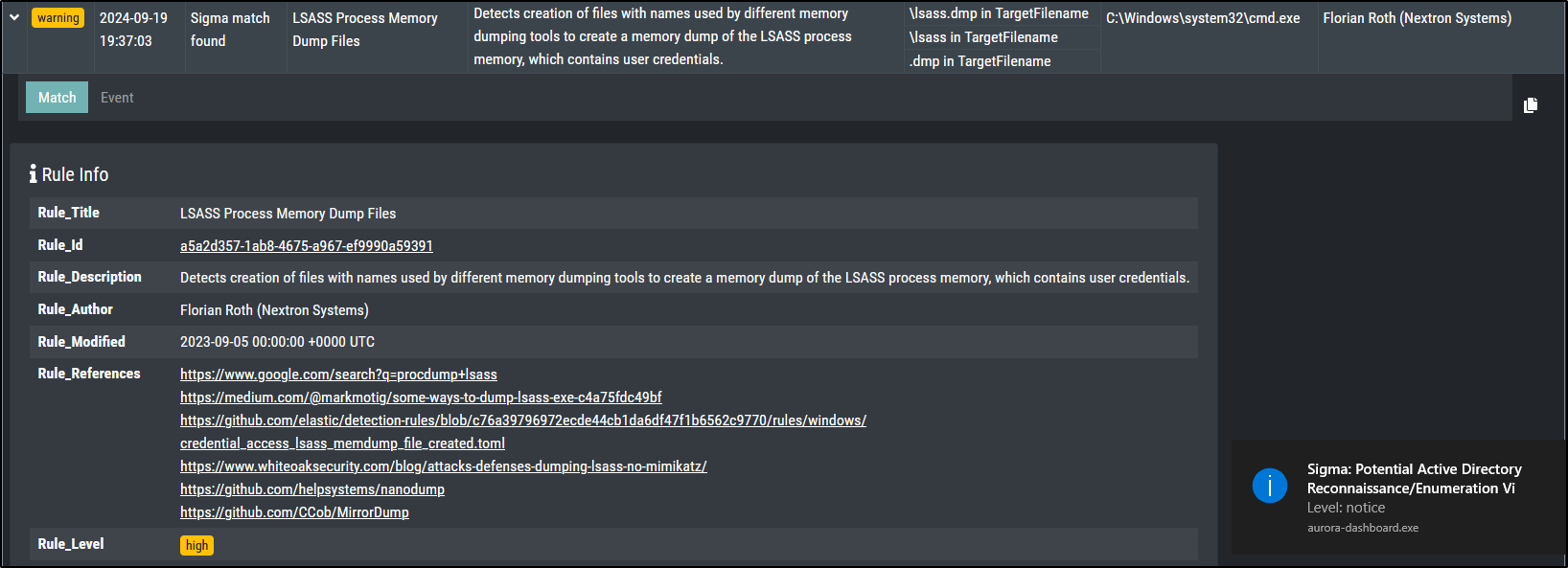
This should create a warning level message for a Sigma rule with level high.
Sigma Matching - Process Access
Included in profiles: Standard, Intense
This should create a warning level message for a Sigma rule with level high.
#PowerShell
$id = Get-Process lsass; rundll32.exe C:\Windows\System32\comsvcs.dll , MiniDump $id.Id $env:temp\lsass.dmp full
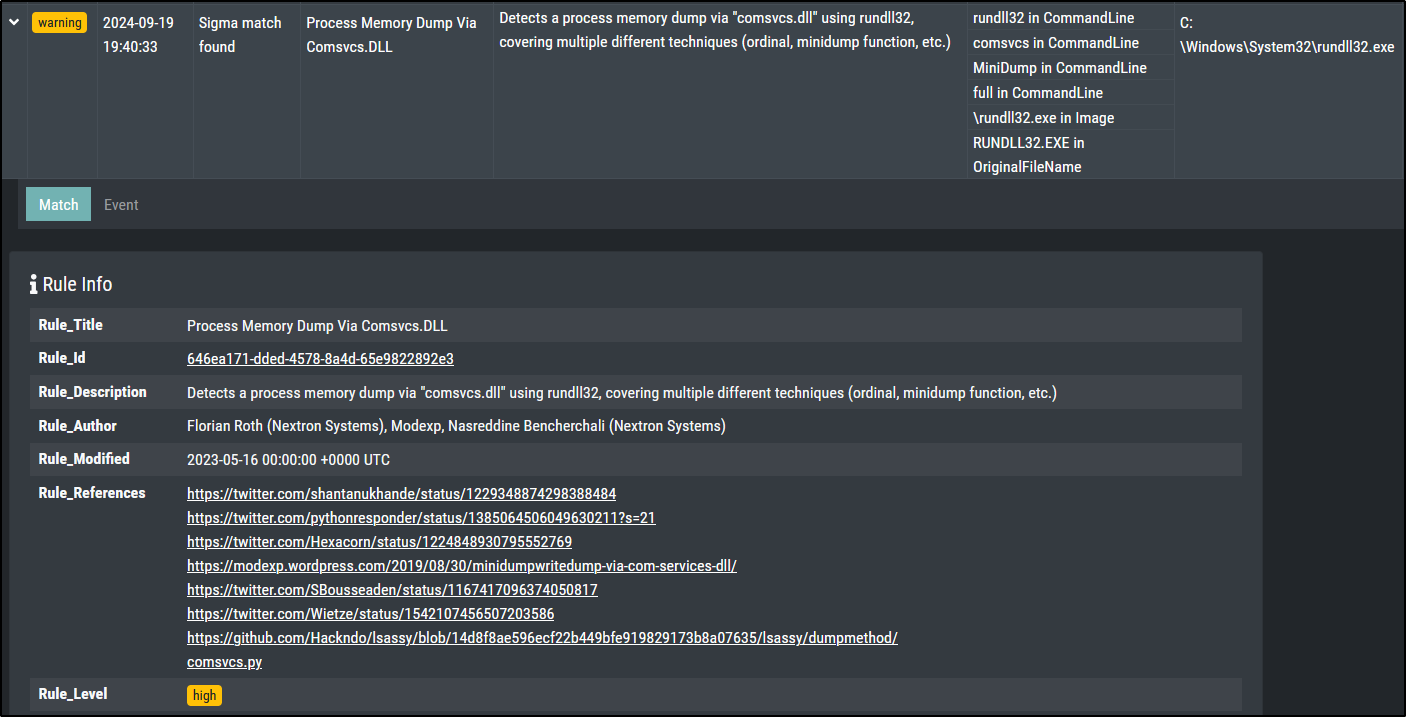
Cleanup:
Sigma Matching - Registry
Included in profiles: Intense
This should create a warning level message for a Sigma rule with level high.
reg add "HKCU\SOFTWARE\Microsoft\Windows\CurrentVersion\AuroraTest" /V "AuroraTest" /t REG_SZ /F /D "vbscript"
This did not generate any alert on Windows Server 2019 despite using the Intense preset.
Cleanup:
IOC Matching - Filenames
This should create a notice level message for a Sigma rule with the name filename IOC match found.
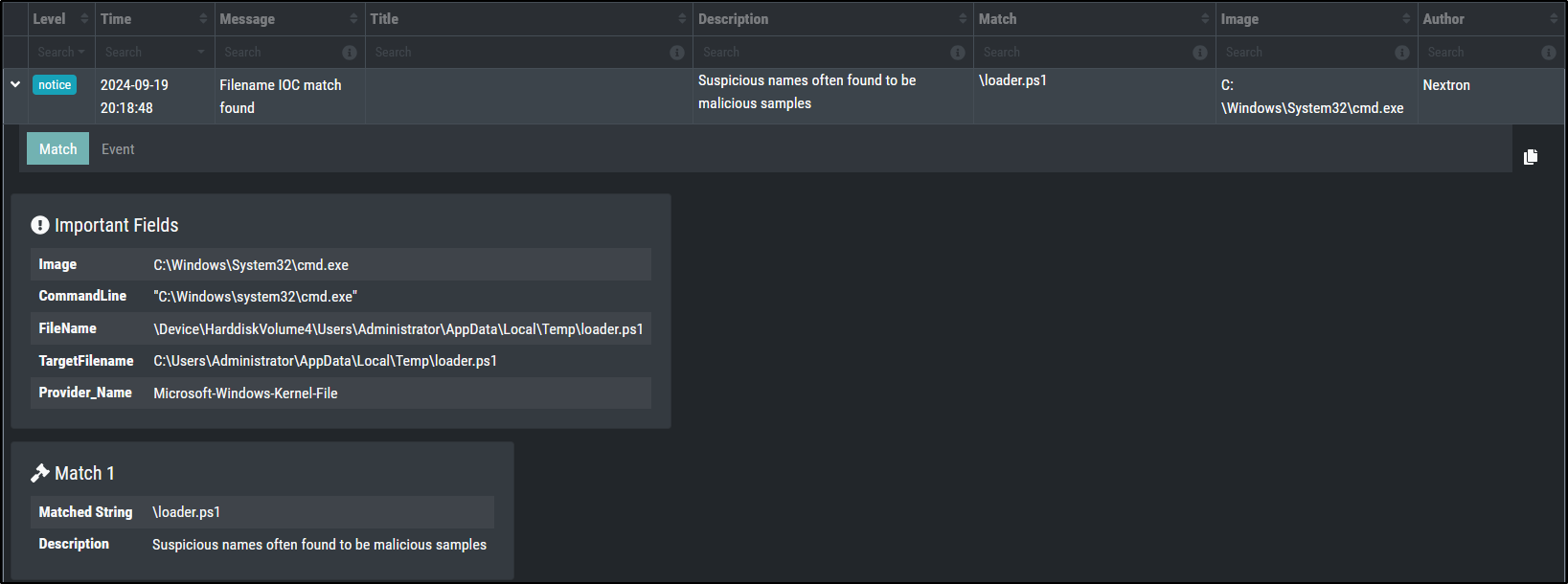
Cleanup:
IOC Matching - C2
This should create a alert level message for a Sigma rule with the name C2 IOC match found.
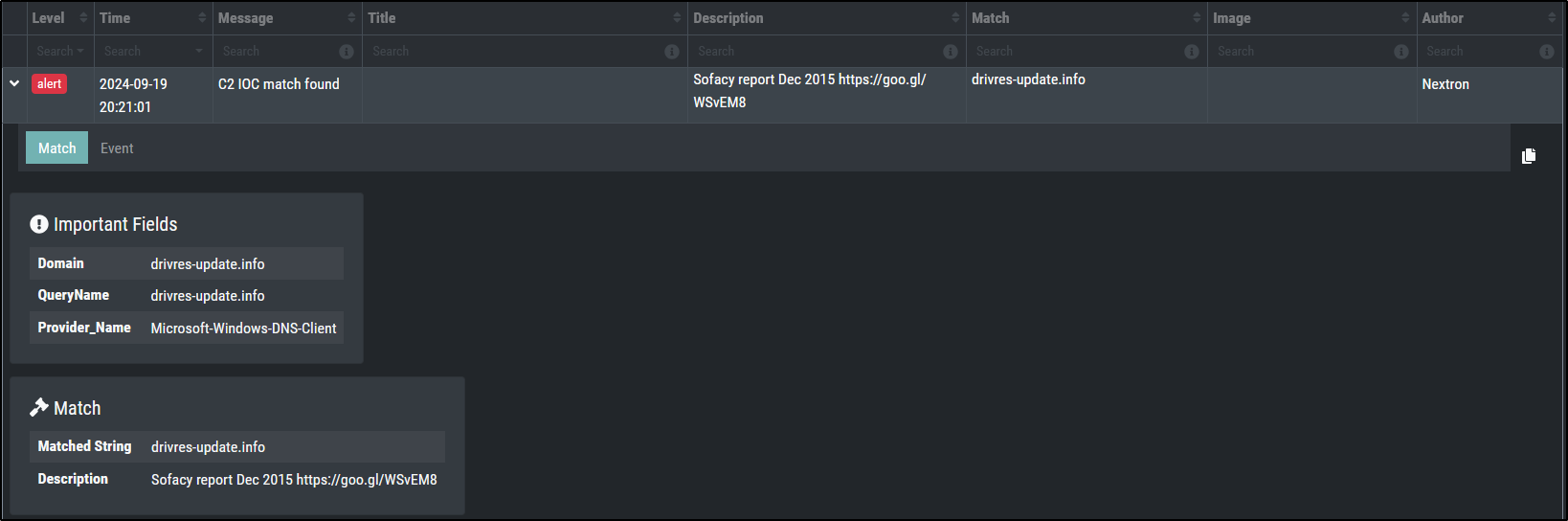
IOC Matching - Named Pipe
Start a named pipe using the following PowerShell commands:
$npipeServer = New-Object System.IO.Pipes.NamedPipeServerStream('testPipe', [System.IO.Pipes.PipeDirection]::InOut)
$npipeServer.Close()
This should create a alert level message for a Sigma rule with the title Malicious Named Pipe Created.
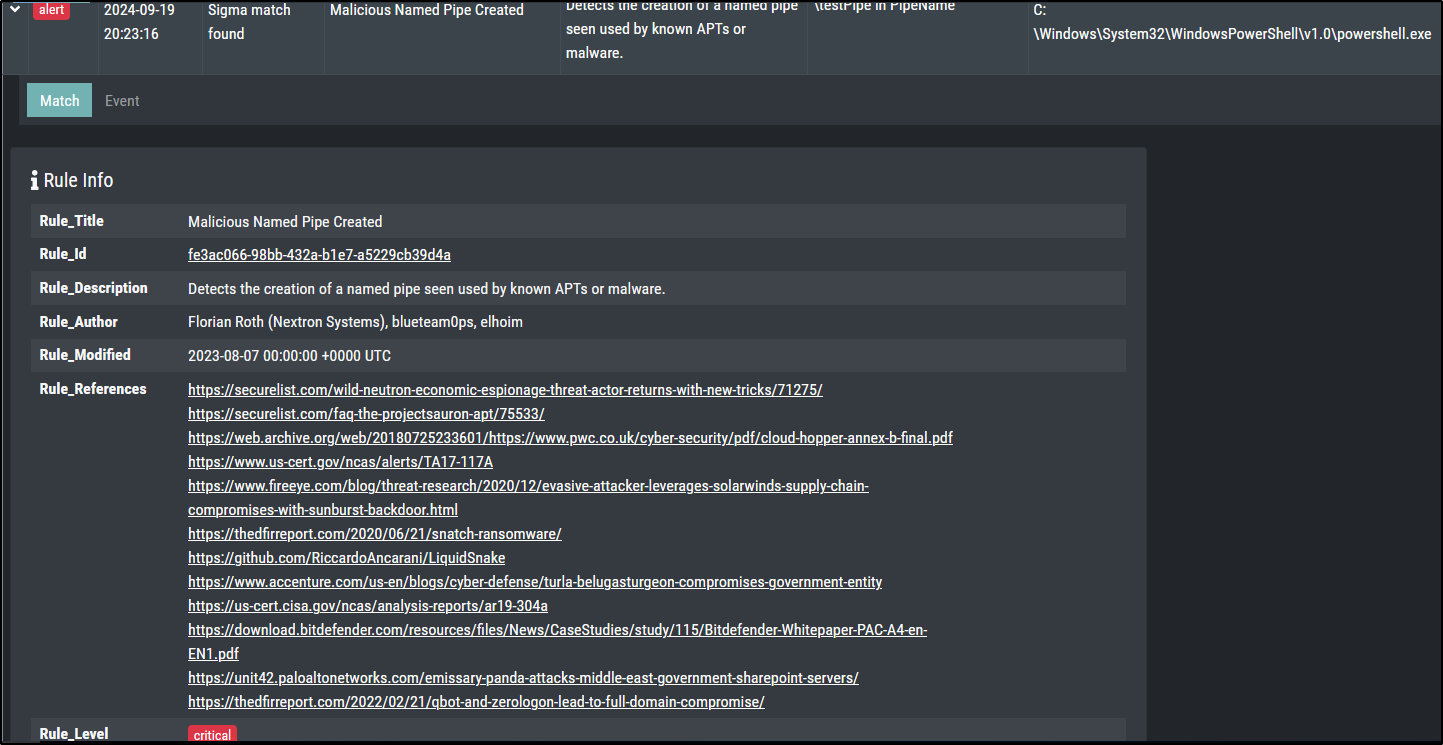
Included in profiles: Intense
IOC Matching - Mutex
Create a mutex using the following PowerShell commands:
Matching might take some time (outside of the Intense profile) since mutexes are polled.
This did not generate any alert on Windows Server 2019 despite using the Intense preset. ****
Note: The Aurora Lite version uses only a very limited set of IOCs.
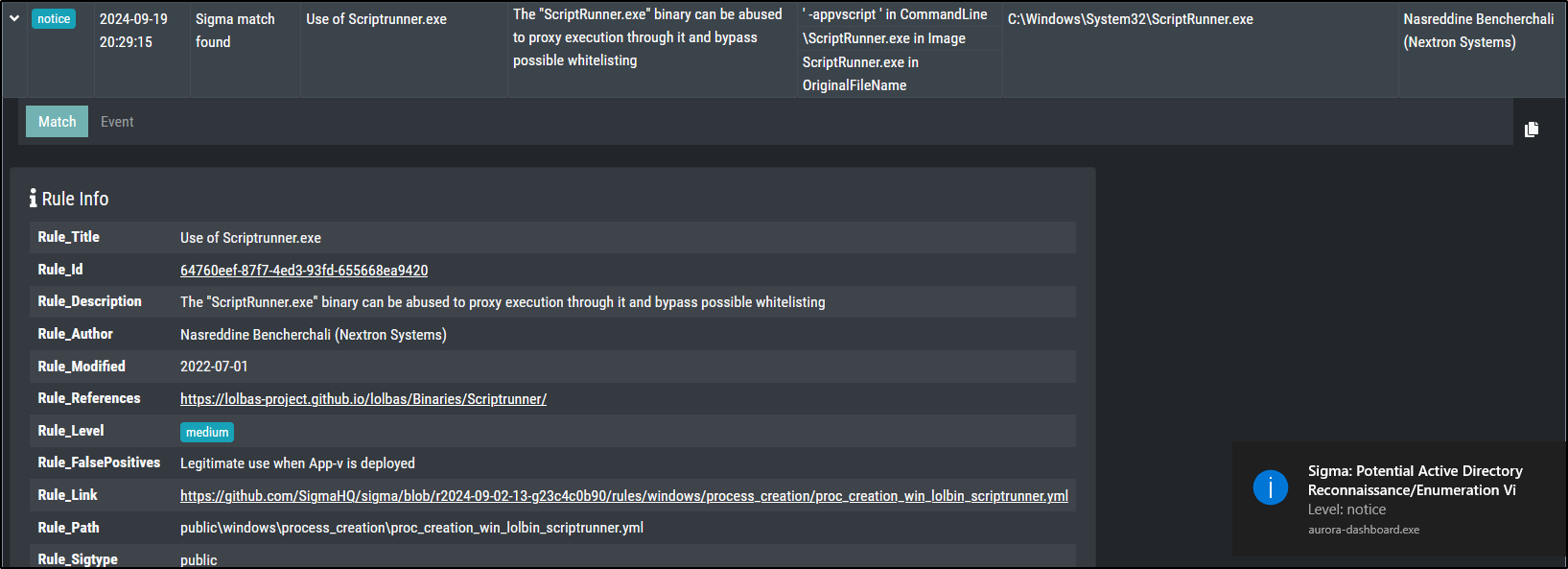
Living Off the Land Binaries and Scripts (LOLBAS)
LOLBAS (Living Off the Land Binaries and Scripts) refers to using legitimate, pre-installed tools and utilities on a system to perform potentially malicious actions while evading detection by security systems.
In this case, Scriptrunner.exe is a legitimate utility that is being used as a "proxy" to indirectly execute another program (calc.exe). This technique helps bypass security measures that might flag or block direct execution of certain programs, as the execution appears to originate from a trusted utility. This approach requires only basic user privileges and works on various versions of Windows.
Run the following command:
This should create a notice level message for a Sigma rule with level medium.
Investigation note
| Point | Example |
|---|---|
| Who and where | LAB\student on WIN-LAB01 |
| What happened | whoami.exe ran with /priv and matched a high-level Sigma rule |
| What you verified | Aurora was healthy and the command was intentionally generated |
| What remains unknown | The test does not prove how the same command would arise in a real incident |
Checkpoint
Another learner can connect your command to the Aurora record and understand why the detection is valid but the activity is not a confirmed compromise.